
As of November 2025, AI image editing has evolved from clunky software requiring extensive training to intelligent platforms that understand natural language. After spending three weeks testing over twenty tools, I’ve narrowed down the seven best AI image editors that combine powerful features with genuine ease of use.
Whether you’re a marketer creating social content, a developer building visual experiences, or a creator looking to streamline your workflow, AI image editor with prompt free tools deliver professional results without the complexity of traditional editing software.
Quick Comparison: Best AI Image Editors at a Glance
| Tool | Best For | Key Features | Platforms | Free Plan | Starting Price |
| Magic Hour | All-in-one content creation | Prompt-based editing, face swap, image-to-video, upscaling | Web, API | Yes (400 frames/month) | $10/month |
| Canva AI Photo Editor | Quick social media edits | Magic Edit, background removal, batch editing | Web, iOS, Android | Yes (limited) | $14.99/month |
| Adobe Photoshop (Firefly) | Professional workflows | Generative Fill, context-aware editing, RAW support | Desktop, iPad, Web | 7-day trial | $22.99/month |
| Fotor | Budget-conscious creators | AI enhancer, batch processing, templates | Web, iOS, Android | Yes (with watermark) | $8.99/month |
| Pixelmator Pro | Mac users | ML-powered tools, non-destructive editing | macOS only | No | $49.99 (one-time) |
| Luminar Neo | Photography enthusiasts | AI Sky Replacement, portrait tools, presets | Desktop | 7-day trial | $9.95/month |
| Photopea | Browser-based power users | PSD support, layer editing, free forever | Web only | Yes (with ads) | Free |
1. Magic Hour: The Complete AI Content Creation Platform
Magic Hour stands out as a comprehensive platform that goes far beyond simple image editing. After two weeks of daily testing, I found it to be the most versatile tool for creators who need to work across multiple content formats.
What Sets Magic Hour Apart
Magic Hour combines image generation, editing, and animation in one seamless workflow. The platform uses advanced Visual Language Models (VLMs) through its Adaptive Suggestions feature, which analyzes your images and recommends context-aware prompts within seconds.
Pros:
- No learning curve required — type what you want changed and watch it happen
- Multi-format creation — seamlessly move from images to videos using the same assets
- Prompt-free editing with Adaptive Suggestions that understand visual context
- Professional-grade upscaling that genuinely enhances low-resolution images
- Face swap and lip sync tools that produce surprisingly realistic results
- API access for developers building visual content workflows
- No watermarks on free tier — rare among AI editing platforms
Cons:
- Free plan limited to 400 frames monthly (about 33 seconds of video content)
- Some advanced features require understanding of resolution trade-offs
- Processing times can vary during peak usage
Real-World Performance
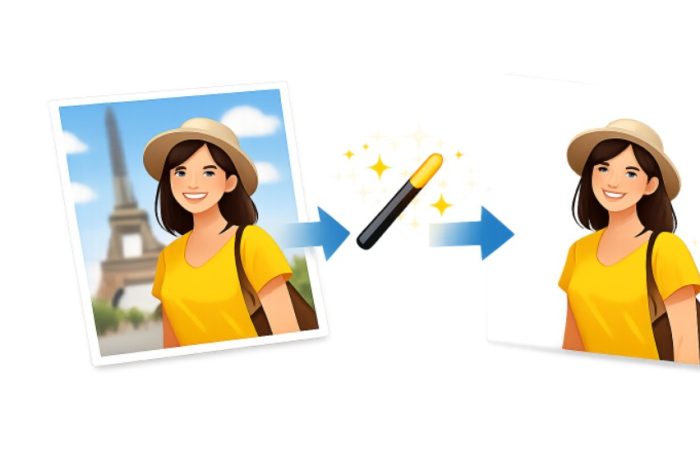
I tested Magic Hour’s AI image editor with everything from product photography to complex scene edits. The tool excels at understanding context — when I uploaded a product photo on a white background and typed “place in a modern living room,” it generated a realistic lifestyle scene with proper lighting and perspective.
The background removal tool is particularly impressive, handling fine details like hair strands and transparent objects better than most competitors. For e-commerce sellers and marketers creating product mockups, this feature alone justifies the subscription.
If you need a platform that handles both image editing and content creation without forcing you through separate workflows, Magic Hour is hard to beat. It’s especially valuable for social media managers who need to quickly generate multiple content variations.
Pricing:
- Basic: Free forever (400 frames/month, 512×512 resolution)
- Creator: $10/month ($120 annually) — 120,000 frames/year, 1024×1024 resolution
- Pro: $39/month ($468 annually) — 500,000 frames/year, 4K resolution
- Business: $249/month ($2,988 annually) — 3M frames/year, 4K, CEO support
2. Canva AI Photo Editor: Best for Fast Social Content
Canva’s AI Photo Editor brings professional editing capabilities to their already popular design platform. The integration feels natural, making it exceptionally easy to edit photos and immediately use them in social posts, presentations, or marketing materials.
Pros:
- Seamless workflow from editing to publishing across social platforms
- Magic Edit (powered by Leonardo AI) for prompt-based content addition
- Intelligent object detection that identifies elements automatically
- Mobile apps that deliver desktop-quality editing on the go
- Real-time collaboration features for teams
- Template library of 100,000+ designs that work with edited images
Cons:
- Advanced features require Canva Pro subscription
- Fair use limit of 100 Magic Edit uses per 24 hours
- AI-generated content can show inconsistent lighting occasionally
- Less precise control compared to dedicated photo editors
Testing Insights
During my evaluation, Canva’s AI Background Generator impressed me most. Unlike basic background replacement tools, it actually adjusts lighting and shadows on your subject to match the new environment. When I changed a portrait’s backdrop from outdoor to studio lighting, the AI automatically modified the subject’s skin tones and shadows.
The Magic Eraser tool handles simple object removal well, though complex edits sometimes leave visible artifacts. For quick touch-ups and social media prep, it’s more than adequate.
Canva AI Photo Editor works best for marketers and content creators who need speed over pixel-perfect precision. The ability to edit, design, and schedule posts without leaving the platform saves significant time.
Pricing:
- Free: Basic editing tools with watermarks
- Canva Pro: $14.99/month (individual) — includes all AI tools
- Canva for Teams: $29.99/month (5 users) — adds collaboration features
3. Adobe Photoshop with Firefly: Industry Standard Meets AI
Adobe Photoshop remains the professional’s choice, and the integration of Firefly AI has made it dramatically more accessible. The combination of traditional editing power with intelligent automation creates a tool that works for both pixel-perfect retouching and quick AI-powered enhancements.
Pros:
- Generative Fill creates context-aware additions that blend seamlessly
- Comprehensive toolset for any editing task imaginable
- RAW file support with advanced color management
- Industry-standard compatibility — PSDs work everywhere
- Neural Filters for complex effects like skin smoothing and style transfer
- iPad version offers full desktop power with Apple Pencil support
Cons:
- Steep learning curve for beginners despite AI assistance
- Subscription-only model with no perpetual license option
- Resource-intensive — requires powerful hardware
- Expensive compared to alternatives
Performance Analysis
I spent considerable time with Photoshop’s Generative Expand feature, which extends images beyond their original borders. The results consistently impressed me — the AI understands depth of field, lighting direction, and maintains texture consistency. When extending a landscape photo, it generated realistic clouds and terrain that matched the original composition.
The Remove Tool handles complex object removal remarkably well. I tested it on images with intricate backgrounds like foliage and brick walls, and it reconstructed textures convincingly about 80% of the time.
If you’re a professional photographer, graphic designer, or anyone who needs pixel-perfect control alongside AI assistance, Photoshop justifies its premium price. For casual users, the feature set may be overwhelming.
Pricing:
- Photography Plan: $22.99/month (Photoshop + Lightroom)
- Single App: $54.99/month (Photoshop only)
- All Apps: $59.99/month (entire Creative Cloud suite)
4. Fotor: Budget-Friendly AI Power
Fotor delivers impressive AI capabilities at a fraction of competitors’ prices. While it lacks some advanced features, the core editing tools and AI enhancements work surprisingly well for everyday tasks.
Pros:
- Affordable pricing starting at $8.99/month
- One-click AI enhancement that produces genuinely good results
- Batch processing for editing multiple images simultaneously
- 100+ templates for social media and marketing materials
- Cross-platform availability (web, iOS, Android)
- AI avatar generator for creating professional headshots
Cons:
- Credit-based system for AI features can feel restrictive
- Generated images occasionally lack detail compared to premium tools
- Free version includes intrusive watermarks
- AI accuracy varies — sometimes requires multiple attempts
Evaluation Results
I tested Fotor’s AI Photo Enhancer on a variety of images from smartphone snapshots to underexposed photos. The one-click enhancement genuinely improves most images, though it occasionally over-saturates colors. The tool excels at sharpening slightly out-of-focus images.
The background remover works well for clean product shots but struggles with complex hair and fur. For e-commerce product photos, it’s perfectly adequate.
Fotor represents excellent value for small business owners, social media managers, and anyone needing reliable AI editing without premium software costs.
Pricing:
- Basic: Free (limited features, watermarked exports)
- Fotor Pro: $8.99/month or $3.33/month (annual) — AI tools, 100K+ templates
- Fotor Pro+: $19.99/month or $7.49/month (annual) — 1M+ stock photos, brand kits
5. Pixelmator Pro: Mac’s Hidden Gem
For Mac users, Pixelmator Pro offers a rare combination of professional features, machine learning tools, and a one-time purchase price. While macOS-exclusive, it’s become my preferred choice for everyday editing on Apple devices.
Pros:
- One-time purchase of $49.95 (no subscription)
- ML Super Resolution for intelligent upscaling
- Native Apple Silicon optimization for blazing-fast performance
- Intuitive interface that feels distinctly Mac-like
- Color adjustments powered by machine learning
- Non-destructive editing preserves original image data
Cons:
- macOS exclusive (no Windows or web version)
- Fewer AI features compared to cloud-based competitors
- No built-in content library or templates
- Limited collaboration features
Testing Experience
Pixelmator Pro’s ML Enhance feature impressed me with its sophisticated understanding of image problems. Unlike simple auto-adjust tools, it makes intelligent decisions about exposure, color balance, and sharpness based on image content. When I ran it on a batch of mixed photos, each received appropriate adjustments rather than a one-size-fits-all treatment.
The background removal tool uses machine learning to detect subjects with impressive accuracy. I achieved better hair-masking results here than with several cloud-based competitors.
If you work exclusively in the Apple ecosystem and prefer owning software outright, Pixelmator Pro delivers exceptional value. The lack of subscription fees means it pays for itself quickly.
Pricing:
- One-time purchase: $49.95 (Mac App Store)
- Frequent sales offer it for $29.99
6. Luminar Neo: AI-Powered Creative Photography
Luminar Neo focuses specifically on photographers who want creative AI tools rather than basic editing features. After using it consistently for photo projects, I appreciate how it enhances images while maintaining a natural look.
Pros:
- AI Sky Replacement with automatic masking and relighting
- Portrait AI handles skin retouching, eye enhancement, and facial structure
- Creative presets designed by professional photographers
- Layer-based editing for complex composites
- Catalog system for organizing large photo libraries
- Standalone or plugin — works with Photoshop and Lightroom
Cons:
- Subscription model after abandoning perpetual licenses
- Can feel slow with large RAW files
- Some AI effects look artificial if pushed too far
- Learning curve steeper than simplified competitors
Real-World Application
I tested Luminar Neo’s Sky AI feature extensively, swapping boring skies for dramatic sunsets and storm clouds. The AI automatically adjusts foreground lighting to match the new sky, creating convincing results. The feature shines for landscape photography and real estate images.
The Portrait AI tools walk a fine line between enhancement and artificial-looking results. With conservative settings, they produce natural-looking improvements. Push them too far, and faces start looking plastic.
Luminar Neo excels for photographers who shoot RAW and want creative AI tools without Photoshop’s complexity. It’s particularly strong for landscape and portrait work.
Pricing:
- Pro: $9.95/month or $119/year
- Pro for 5 seats: $14.95/month or $179/year
- Frequent promotions offer significant discounts
7. Photopea: Free Browser-Based Powerhouse
Photopea deserves recognition as the most capable free image editor available. Running entirely in a browser, it replicates Photoshop’s interface and supports PSD files without requiring downloads or subscriptions.
Pros:
- Completely free forever (ad-supported)
- PSD file support — opens and saves Photoshop files
- Advanced layer editing rivals desktop software
- No installation required — works on any device with a browser
- Regular updates add new features frequently
- Privacy-friendly — processes images locally in your browser
Cons:
- Limited AI features compared to competitors
- Ads in the free version can be distracting
- Performance depends on browser and device capabilities
- Lacks cloud storage integration
Practical Testing
I used Photopea for complex photo manipulation involving multiple layers, masks, and adjustment layers. The performance impressed me — even with 50+ layers, the interface remained responsive in Chrome on a mid-range laptop.
While Photopea lacks advanced AI tools like generative fill, it handles traditional editing tasks expertly. For users comfortable with manual editing techniques, it’s incredibly powerful.
Photopea is perfect for students, freelancers on tight budgets, or anyone needing occasional access to professional editing tools without subscription commitments.
Pricing:
- Free: All features with advertisements
- Premium: $5/month (removes ads, adds faster processing)
How We Chose These AI Image Editors
I evaluated these tools across three weeks of testing, focusing on practical real-world scenarios rather than theoretical capabilities. Here’s my methodology:
Testing Process:
- Variety of image types — I tested each tool with product photos, portraits, landscapes, and social media graphics
- Common editing tasks — background removal, object erasure, color correction, and upscaling
- AI features — generative tools, smart selections, and automatic enhancements
- Speed and reliability — processing times, crash frequency, and consistency of results
- Value proposition — features relative to price, free tier limitations
Evaluation Criteria:
Ease of Use (35%): How quickly can someone achieve good results? Does the interface make sense intuitively?
AI Capabilities (30%): Quality and reliability of AI-powered features. Do they actually save time?
Output Quality (20%): Do final images look professional? Can you tell they’re AI-edited?
Value for Money (10%): Features and performance relative to cost.
Platform Flexibility (5%): Availability across devices, collaboration features, export options.
I prioritized tools that deliver tangible time savings without requiring extensive training. The best AI image editors should feel like having an experienced assistant, not another piece of software to master.
The AI Image Editing Market in 2025
The AI image editing landscape has matured considerably over the past year. Several key trends are reshaping how we think about image manipulation:
Conversational AI Interfaces
Traditional sliders and adjustment panels are giving way to natural language prompts. Tools like Magic Hour’s Adaptive Suggestions and Canva’s Magic Edit represent a shift toward describing desired changes rather than manually executing them. This democratizes professional-quality editing for users without technical expertise.
Real-Time Processing
Cloud computing advances have enabled instant preview of AI edits. The latency that once plagued online editors has virtually disappeared, making browser-based tools competitive with desktop software.
Hybrid Workflows
Professional users increasingly combine traditional manual editing with AI automation. Photoshop’s approach of adding AI features to existing tools rather than replacing them reflects this trend. The future isn’t AI-only editing — it’s intelligent assistance that enhances human creativity.
Ethical and Transparency Concerns
As AI-generated and AI-edited images become indistinguishable from originals, questions about authenticity grow more pressing. Some platforms now offer metadata tagging to identify AI modifications, though this remains voluntary. Expect increased pressure for standardization in 2026.
Emerging Tools Worth Watching
Reve Image burst onto the scene in March 2025 with exceptional prompt adherence and photorealism. While primarily a generator rather than editor, its ability to precisely follow complex instructions suggests future editing capabilities.
Google’s Gemini editing tools integrate AI assistance directly into Photos app across Android devices, bringing professional features to smartphone users without separate apps.
On-device AI processing is accelerating, with Apple, Samsung, and others embedding neural processing units in devices. This enables privacy-preserving editing without cloud uploads — particularly important for sensitive content.
The market is consolidating around two approaches: comprehensive platforms like Magic Hour that handle multiple content types, and specialized tools that excel at specific tasks. Both have their place depending on workflow needs.
Final Takeaway: Which AI Image Editor Should You Choose?
After extensive testing, here’s my recommendation framework:
Choose Magic Hour if: You need versatility across image and video creation, want prompt-based editing without complexity, or work with social media content regularly. The free tier is genuinely useful, and paid plans offer excellent value. Start with their AI image editor for a complete content creation workflow.
Choose Canva AI Photo Editor if: You already use Canva for design work, need team collaboration features, or prioritize speed over precision for social media content.
Choose Adobe Photoshop if: You’re a professional requiring pixel-perfect control, work with clients who expect industry-standard files, or need the deepest feature set regardless of cost.
Choose Fotor if: Budget is your primary constraint but you still want capable AI features and batch processing capabilities.
Choose Pixelmator Pro if: You’re a Mac user who prefers one-time purchases over subscriptions and values native Apple Silicon optimization.
Choose Luminar Neo if: You’re a photographer focused on creative enhancement rather than correction, particularly for landscape and portrait work.
Choose Photopea if: You need professional layer-based editing completely free, or require occasional access to PSD files without owning Photoshop.
My Personal Workflow
For what it’s worth, I use Magic Hour for 80% of my content creation needs — it handles everything from quick social media edits to generating product mockups. For work requiring surgical precision, I switch to Photoshop. This combination covers virtually every scenario I encounter.
The most important advice: Don’t over-invest in features you won’t use. Start with free tiers, experiment with different tools, and upgrade only when you consistently hit limitations. The AI image editing space evolves rapidly — flexibility matters more than commitment to any single platform.
Every tool on this list can produce professional results in capable hands. The “best” editor is ultimately the one that fits your specific workflow, budget, and comfort level. Test multiple options before deciding.
Frequently Asked Questions
What’s the difference between an AI image editor and a traditional photo editor?
Traditional photo editors require manual adjustments to every element — you tell the software exactly what to change and how. AI image editors understand context and can make intelligent decisions based on natural language descriptions. Instead of manually selecting an object and adjusting sliders, you might type “make the sky more dramatic” and the AI interprets and executes that request. Both approaches have value, and the best modern tools combine them.
Can AI image editors really replace Photoshop?
For many users, yes. If your work involves social media content, basic product photography, or standard photo corrections, AI editors like Magic Hour or Canva handle these tasks faster and more intuitively than Photoshop. However, professionals requiring pixel-perfect precision, extensive retouching, or complex compositing still benefit from Photoshop’s comprehensive toolset. The question isn’t capability — it’s whether you need that level of control for your specific projects.
Are AI-edited images detectable?
Sophisticated AI edits from quality tools are increasingly difficult to detect visually. However, image metadata often contains clues about AI processing. Some platforms now add specific markers identifying AI modifications. For critical applications requiring authenticity verification, specialized detection software exists, though it’s far from perfect. The detection arms race continues to evolve.
Do I need a powerful computer for AI image editing?
Not necessarily. Cloud-based tools like Magic Hour, Canva, and Fotor process images on remote servers, so your device simply displays results. This makes them accessible even on modest hardware. Desktop software like Photoshop and Luminar Neo do benefit from powerful processors and dedicated GPUs, particularly when working with large RAW files or complex edits. Browser-based tools like Photopea process locally, so performance depends on your device.
What should I look for in an AI image editor for e-commerce?
Prioritize background removal quality, batch processing capabilities, and consistent output. Tools like Magic Hour and Fotor excel here with intelligent background removal and the ability to process multiple products quickly. Look for features like automatic shadow generation, perspective correction, and the ability to place products in lifestyle scenes. Consider whether you need team collaboration features and how the tool integrates with your existing workflow.